Run your business
with Claude Code.
Four practical plugins to find leads, prepare outreach, build your LinkedIn presence and work on search visibility. Follow the illustrated setup and copy the exact prompts as you go.
Set it up once.
Start with one useful result.
A plugin adds workflows to Claude Code. A skill guides a task; an agent brings a specialist role. You still review the output and approve what goes out under your name.
- A paid Claude plan with Claude Code access
- Node.js and git on your computer
- Docker Desktop running for the Maps scraper
- A folder to keep your lists, drafts and reports
Open Claude Code in a new working folder.
Install Node.js LTS and Docker Desktop.
Ask Claude to check Node.js, npx, git and Docker.
Install the four tools below, one at a time.
Start a fresh Claude session or reload plugins.
Type / to check which skills are available.
Paste your business profile prompt once.
Google Maps Scraper
Find businesses by area and niche, save a list, then filter the businesses worth approaching.
View the project ↗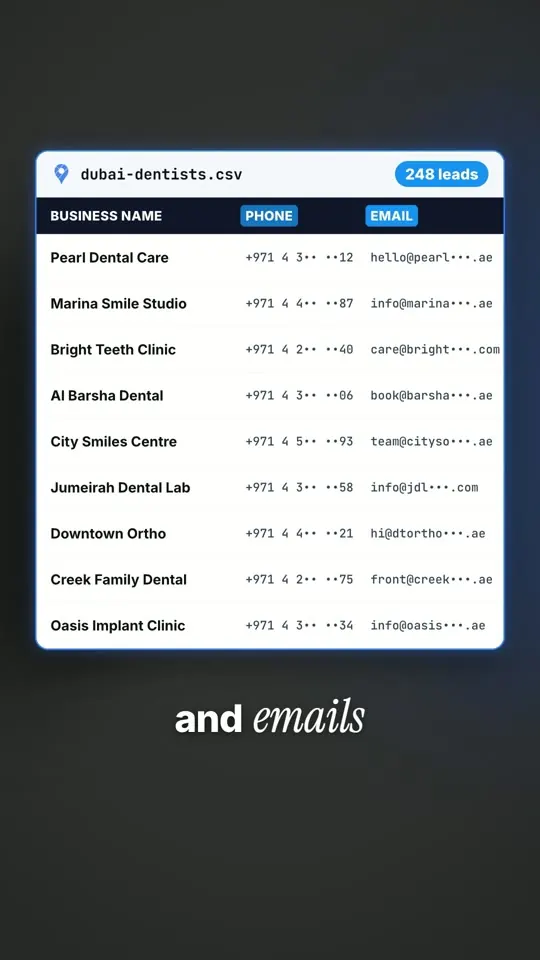
npx skills add gosom/google-maps-scraperPrompts to copy
Find dentists in Dubai Marina, JLT and Jumeirah. Include phone, website, rating, review count and emails. Run a 20-result test first, then save the full list as dubai-dentists.csv.From dubai-dentists.csv keep only clinics that have a website and either under 4.3 stars or fewer than 50 reviews. Add a column called "why they need us" with one short reason each.Turn the top 30 into a Google-Sheets-ready file with columns: name, phone, email, website, rating, reason, status.Field note. Docker Desktop must be running. Start with one area and one niche; public emails will be missing from some rows.
Agency Agents
Use named specialist agents for outreach, proposals and content work. Start with the divisions you need.
View the project ↗
git clone https://github.com/msitarzewski/agency-agents.git
cd agency-agents
./scripts/install.sh --tool claude-code --division sales,marketingPrompts to copy
Use the Outbound Strategist agent. Here is dubai-dentists.csv and my offer: [offer]. Write a 3-step cold email sequence and personalise the first line for each clinic using its rating and website.Use the Proposal Strategist. Turn these call notes into a one-page proposal with three price options: [paste notes].Run my agency for this month: the Content Creator plans 2 weeks of posts, the SEO Specialist picks the topics, and the Growth Hacker suggests one experiment to get 10 new leads.Field note. Name the agent explicitly. Install only the sales and marketing divisions if that is all you need.
LinkedIn Skills
Interview you about your voice, then draft posts, comments, replies and a weekly content plan for review.
View the project ↗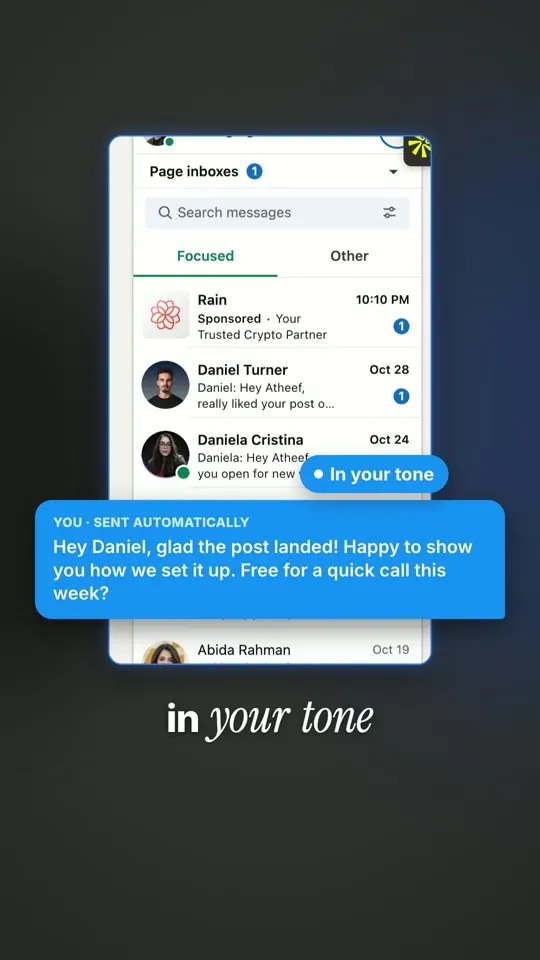
/plugin marketplace add sergebulaev/linkedin-skills
/plugin install linkedin-skills@linkedin-skillsPrompts to copy
Interview me for 10 minutes about my business, my results and my opinions, and save it to my Story Bank so every post sounds like me.Create a 7-day LinkedIn plan. I help [who] get [result] with [offer]. Then write Monday's post.Here is a post from a prospect: [link]. Draft a comment that adds one sharp, useful point. 200 to 350 characters.Field note. Review every post and comment yourself. The guide uses manual approval for connection notes and messages.
OpenSEO
Research search terms, assess local visibility, then choose one useful page or audit to work on.
View the project ↗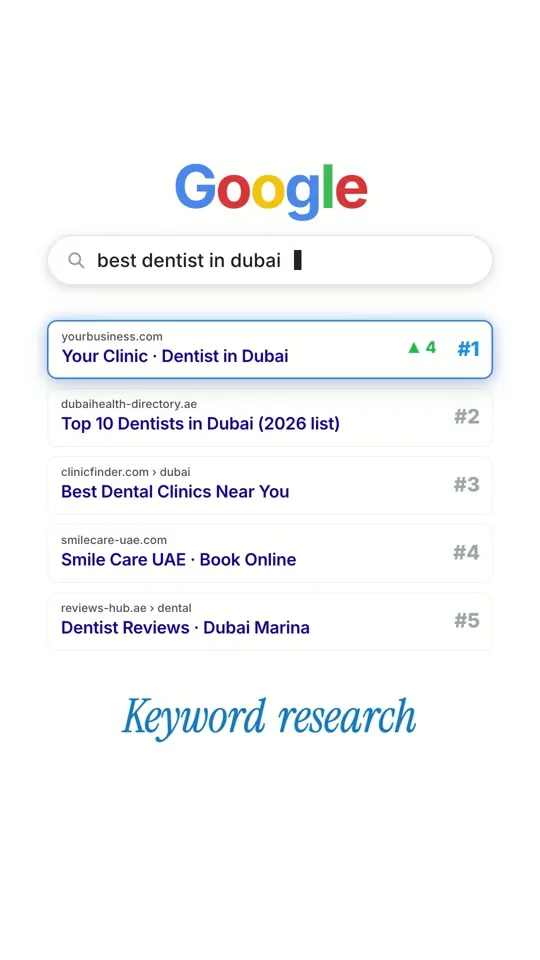
/plugin marketplace add every-app/open-seo
/plugin install openseo@openseoPrompts to copy
/openseo:seo-project-setup for [mywebsite.com]. We are a [business] in [city] and our best customers are [who].Find 20 keywords people in [city] search before buying [service]. Group them and tell me which page to write first and why./openseo:local-seo Compare me with the top 3 competitors on Google Maps for "[service] near me" and give me a 30-day fix list.Field note. After installation, reload plugins if asked, approve the OpenSEO connection, and test with a project list before using credits.
A small routine,
done consistently.
The guide suggests a couple of hours a week for the main work, plus short daily LinkedIn engagement. Start smaller if the tools or outputs still need calibration.
Save this as my business profile and use it for every task:

Business: [name, website]
What I sell: [offer and price range]
Who I sell to: [niche] in [city / country]
Their main problem: [one sentence]
Proof: [results, numbers, client names I can mention]
Tone: [friendly / direct / expert], short sentences, no jargon
Goal this month: [e.g. 10 booked calls]It is Monday. Run my growth week:
1. Use the Google Maps scraper to find [niche] in [area]. Keep the
best 50 (website, under 4.5 stars or few reviews). Save leads.csv.
2. Use the Outbound Strategist to write a 3-email sequence for them,
personalised per business. Save outreach.md. Do not send anything.
3. Use the LinkedIn Content Planner to plan 3 posts about the problem
these businesses have. Draft them and wait for my approval.
4. Use OpenSEO to find one keyword these customers search and brief
the Content Creator agent to write that page.
Show me a short summary with what needs my approval.Package the work
for a client.
Lead lists on demand
A clean, scored list for one city and niche, with a personalized first line.
LinkedIn for founders
Profile work, drafts and comments, all approved by the client.
Local SEO support
Keyword research, one useful page, tracking and a simple report.
The growth system
Combine leads, outreach, LinkedIn and search into one reviewed monthly workflow.
See the 7-day launch plan +
- Pick one niche and one city.
- Make a small, useful audit your first offer.
- Send 20 personalized audits after reviewing each one.
- Post the process without exposing client names.
- Price against a clear deliverable or outcome you can track.
- Deliver a weekly report.
- Collect proof with the client’s permission.
Keep the human
in the loop.
Check applicable privacy and platform rules; avoid selling personal data.
Be relevant, add an opt-out and respect a refusal.
Read every email, post and comment before it goes live.
Keep API secrets out of chat and use the appropriate environment storage.
Common fixes +
- Skills missing: start a new session or reload plugins.
- Maps scraper stuck: open Docker Desktop and retry.
- Few emails: many businesses do not list one; use permitted contact channels.
- OpenSEO login missing: check /mcp and approve the connection.
- Wrong agent: name the specific agent in your request.
Read it, save it,
put it to work.
The original 10-page Ailutions guide includes the illustrations, full setup sequence and checklist. Download it for offline reading, or start with a single plugin above.
Join the AI Leaders’ Community.
Learn to apply AI with people testing practical ideas in their work and businesses.