A rocket car takes off in ten visual styles. Choose a look, study the three frames, and paste its complete prompt into Claude to make your own three-second animation.
If you want to develop as an AI leader, join a community of people learning to apply AI, share what works, and lead change in their teams and businesses.
Browse the ten styles below. Try Chalkboard if you want a simple first run.
02
Paste the whole prompt
Use the Copy button, then paste it into Claude. The red rocket car is the example subject.
03
Refine and save
Ask for changes in plain language, preview the result, then record or render it as video.
ROUTE A / SIMPLE
Claude chat
Open Claude, paste a prompt, and ask to see a playable preview if you only receive code. You can save the HTML and open it in a browser. Play full screen, screen record, and trim one clean loop.
ROUTE B / MP4
Claude Code + HyperFrames
Set up Claude Code, Node.js, FFmpeg and HyperFrames. Run npx hyperframes skills update, start a new Claude session, then check it with npx hyperframes doctor. Add the line below to the chosen prompt, then preview and render.
Add this line
Build this as a HyperFrames composition instead of a plain HTML file, at 30 frames per second, and render it to MP4.
Use npx hyperframes preview to watch it and npx hyperframes render to save an MP4. Check the current HyperFrames setup if its commands have changed.
THE STYLE LIBRARY
Find the feeling for your idea.
Every example tells the same story on purpose. The style changes how it feels. Select a style to jump to its three frames, complete prompt and practical tip.
01 / 10Medium
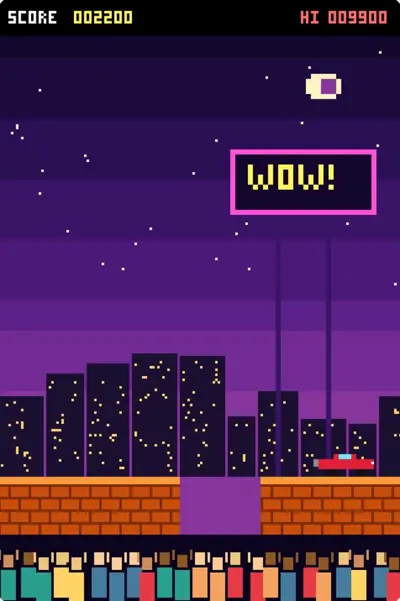
Pixel Art
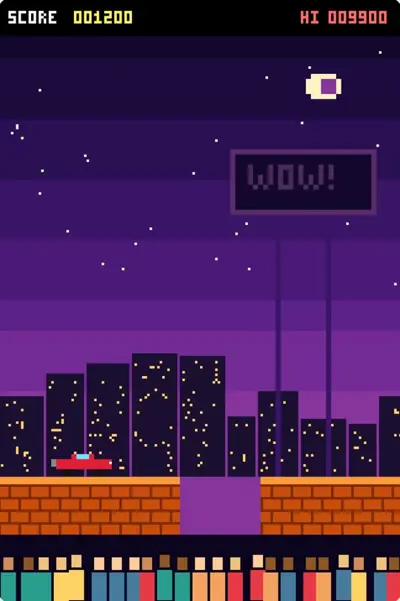
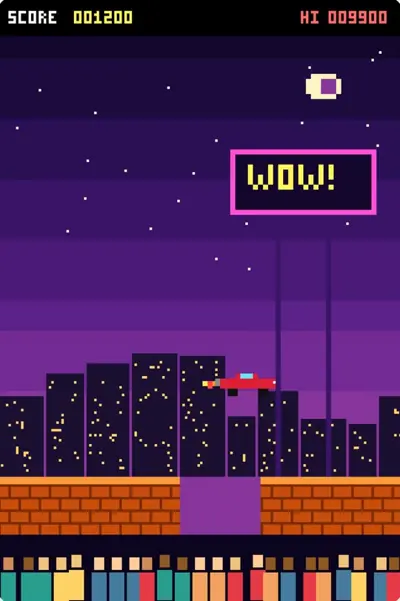
A sharp 16-bit jump with score and neon signage.
StartMiddleEnd
Best for Game-like hooks, wins and milestones, playful brands.
Prompt for Pixel Art
Create a 3-second looping animation as one self-contained HTML file, sized 1080 x 1920 (vertical) and scaled to fit the screen. Draw everything with code (SVG, CSS or canvas), with no image files. Start playing automatically.

Subject: a red rocket-powered roadster.

STYLE: 16-bit arcade side-scroller at night. Draw on a low-resolution canvas (270 x 480) and scale it up with no smoothing, so every pixel is sharp and chunky. SCENE: Black bar on top with "SCORE 001200" in yellow and "HI 009900" in red, in a pixel font. Purple banded sky with stars and a pixel moon. Dark city skyline with lit windows. A sign reading "WOW!" stays unlit. Orange brick road with one gap, and a row of colourful pixel spectators below. ACTION: 0.0s, the car drives in from the left. 1.0s, it boosts and jumps the gap. 1.8s, it lands, "+1000" floats up, the score jumps to 002200 and the sign flickers on in pink and yellow. Hold to the end.
Pro tip Ask for 12 frames per second on the movement. The slight stutter is what makes it feel like an old game.
02 / 10Easy
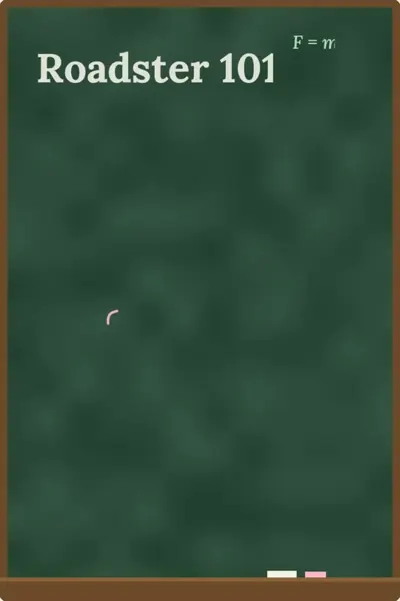
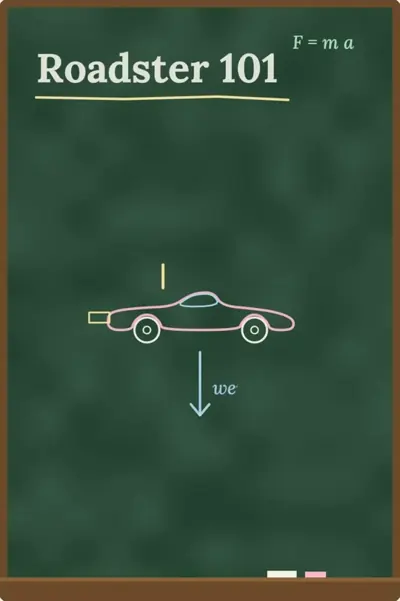
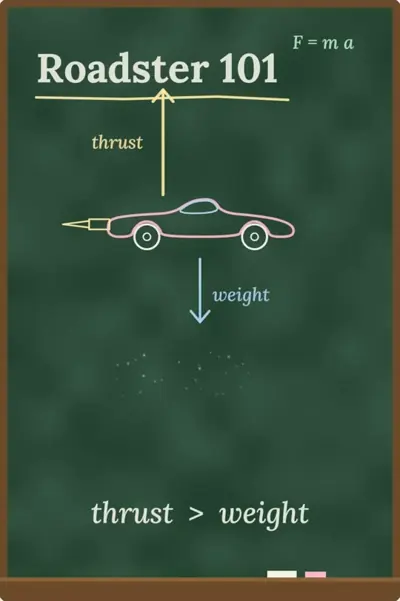
Chalkboard
A lesson drawn live in chalk, line by line.
StartMiddleEnd
Best for Explaining how something works, lessons, formulas, step-by-step ideas.
Prompt for Chalkboard
Create a 3-second looping animation as one self-contained HTML file, sized 1080 x 1920 (vertical) and scaled to fit the screen. Draw everything with code (SVG, CSS or canvas), with no image files. Start playing automatically.

Subject: a red rocket-powered roadster.

STYLE: Green school chalkboard with soft smudged chalk dust, a wooden frame and a tray with two pieces of chalk. All lines are slightly wobbly and textured like real chalk. SCENE: Title "Roadster 101" in handwritten serif at the top, with "F = m a" small at the top right. ACTION: 0.0s, the title underline draws itself. 0.2s, the side outline of the car draws stroke by stroke in white chalk. 1.0s, a blue arrow draws downward with the word "weight". 1.5s, a yellow arrow draws upward and "thrust" writes letter by letter. 2.0s, the car lifts slightly with a small chalk flame, and "thrust > weight" writes across the bottom. Hold to the end.
Pro tip Change the title and the bottom line to your own lesson. Keep it to one idea per board.
03 / 10Easy
Glow Sketch
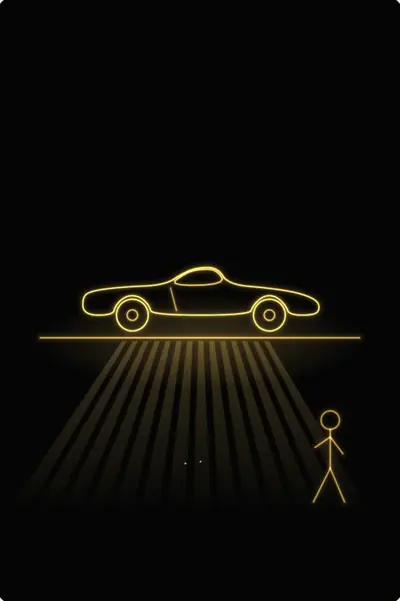
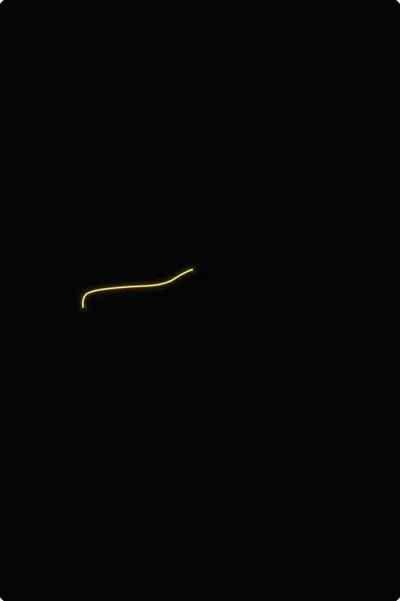
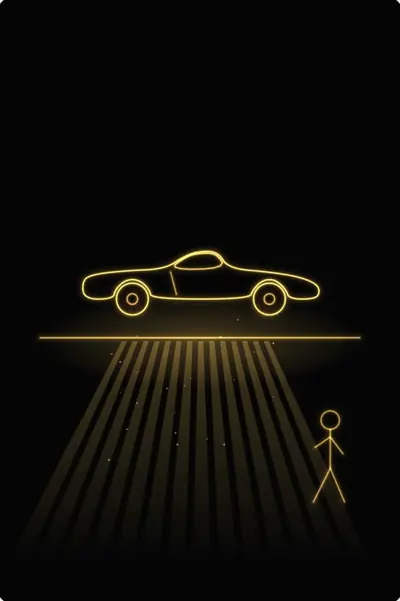
One gold line reveals a car out of darkness.
StartMiddleEnd
Best for Premium reveals, teasers, dark and moody openers.
Prompt for Glow Sketch
Create a 3-second looping animation as one self-contained HTML file, sized 1080 x 1920 (vertical) and scaled to fit the screen. Draw everything with code (SVG, CSS or canvas), with no image files. Start playing automatically.

Subject: a red rocket-powered roadster.

STYLE: Pure black background. One thin gold neon line with a soft glow. No fills, only light. SCENE: The side view of a sports car in the upper middle of the frame. A small stick figure in the lower right, also drawn in gold line. ACTION: 0.0s, a single line traces the car outline from left to right, with a bright point at the drawing tip. 0.6s, the stick figure draws itself, looking up at the car. 1.1s, the wheels finish and a thin horizontal light line appears under the car. 1.4s, a fan of thin vertical light rays spreads down from that line in perspective, growing brighter. Hold with a gentle glow pulse to the end.
Pro tip Add the stick figure for scale. That one small detail makes the car feel huge.
04 / 10Advanced
PS2 Style
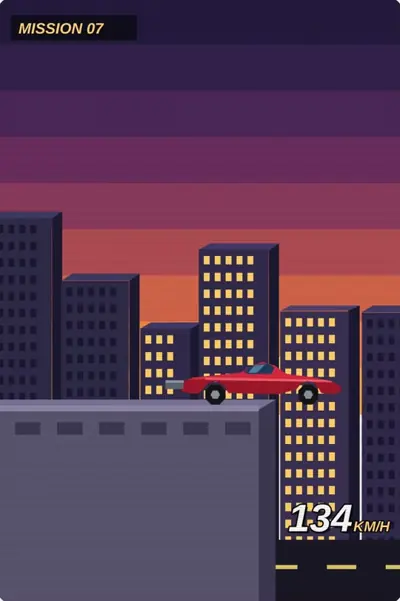
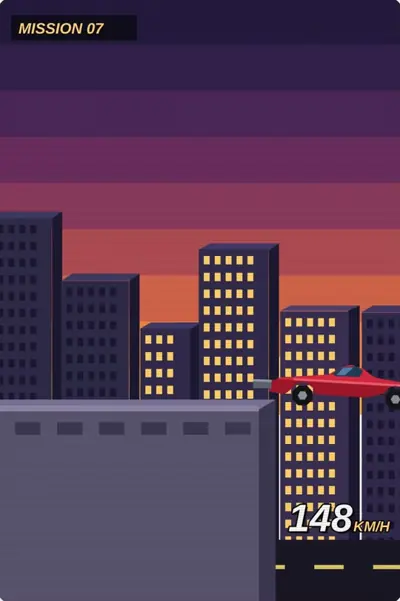
A console-era rooftop chase and replay camera.
StartMiddleEnd
Best for Action moments, nostalgic hooks, two-shot mini stories.
Prompt for PS2 Style
Create a 3-second looping animation as one self-contained HTML file, sized 1080 x 1920 (vertical) and scaled to fit the screen. Draw everything with code (SVG, CSS or canvas), with no image files. Start playing automatically.

Subject: a red rocket-powered roadster.

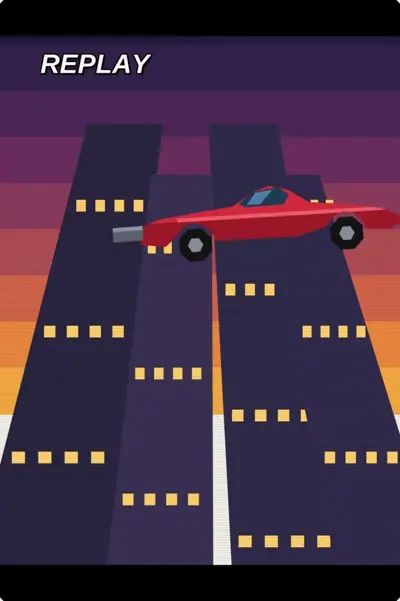
STYLE: Early-2000s console game. Flat-shaded, low-detail shapes, with a banded sunset sky from purple to orange and blocky towers with yellow windows. SHOT 1 (0.0s to 1.7s): Side view of a grey rooftop. The car drives toward the roof edge. Top left, a dark box reads "MISSION 07" in bold italics. Bottom right, a speedometer counts from 116 to 148 KM/H. FLASH (1.7s to 1.9s): The screen flashes white. SHOT 2 (1.9s to 3.0s): Low-angle camera looking up between two towers that lean in with perspective. The car flies overhead with a rocket flame. Black bars top and bottom, and a blinking red dot with "REPLAY" at the top left.
Pro tip If the second shot looks flat, ask Claude to make the towers lean in harder and the car bigger.
05 / 10Medium
Comic Art
A two-panel comic with a punchline.
StartMiddleEnd
Best for Reactions, humour, cause and effect, anything with a punchline.
Prompt for Comic Art
Create a 3-second looping animation as one self-contained HTML file, sized 1080 x 1920 (vertical) and scaled to fit the screen. Draw everything with code (SVG, CSS or canvas), with no image files. Start playing automatically.

Subject: a red rocket-powered roadster.

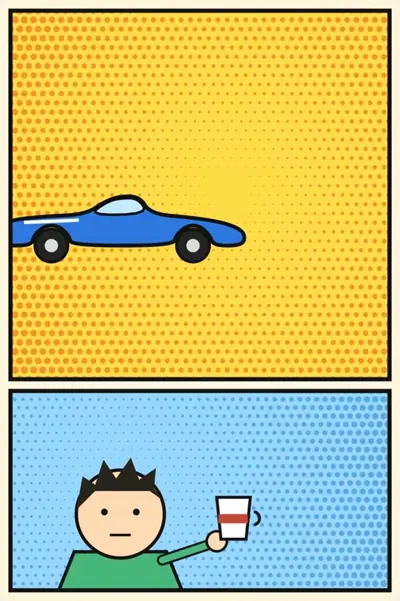
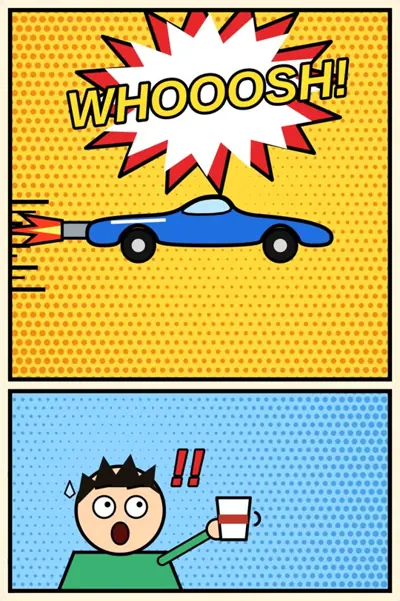
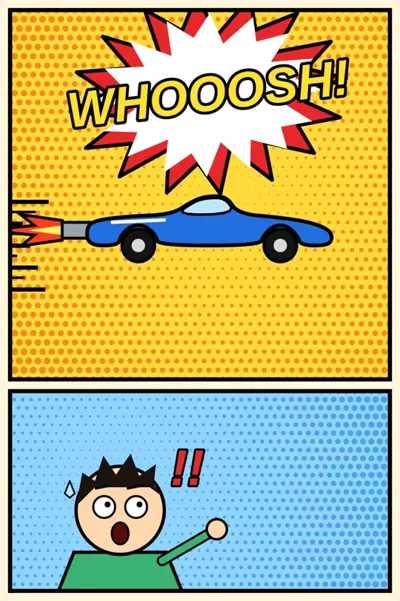
STYLE: Printed comic book. Thick black outlines, halftone dot shading, a cream page and two stacked panels. Move in steps at 12 frames per second. TOP PANEL: Yellow-orange halftone background. A blue car with a rocket flame and black speed lines. BOTTOM PANEL: Blue halftone background. A simple cartoon person with spiky hair and a green shirt, holding a coffee cup. ACTION: 0.0s, the car shakes with its flame on. 0.5s, a red and white starburst slams in with "WHOOOSH!" in tilted yellow letters, and the top panel shakes. 1.2s, the person's eyes go wide, their mouth opens, and "!!" and a sweat drop appear. 2.0s, the cup falls and splashes. Hold to the end.
Pro tip The joke lives in the bottom panel. Change the reaction to suit your audience.
06 / 10Easy
Flat Vector
Geometric pieces build a car and send it off.
StartMiddleEnd
Best for Business explainers, product features, clean brands.
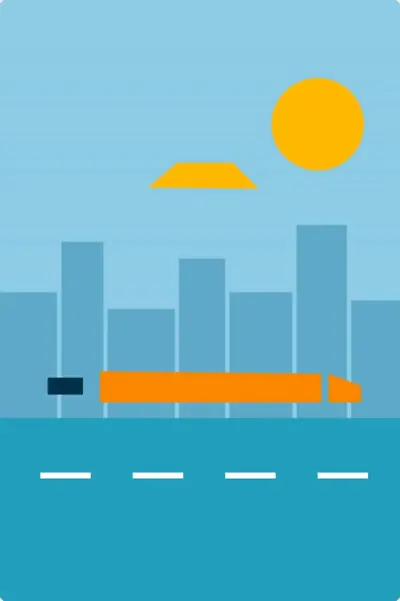
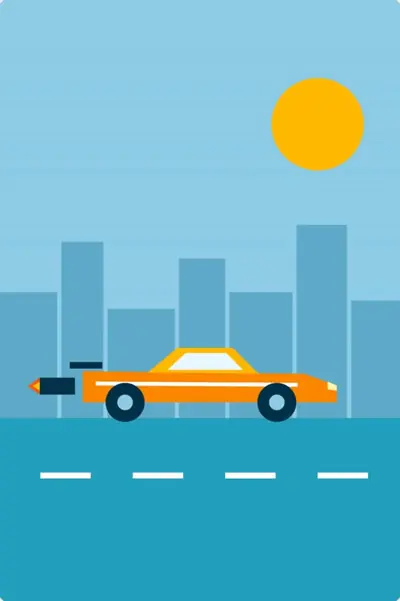
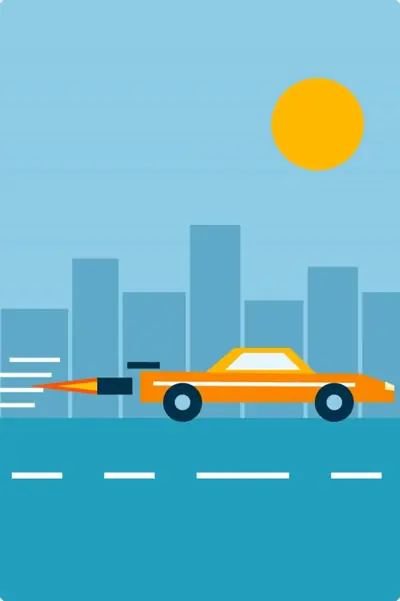
Prompt for Flat Vector
Create a 3-second looping animation as one self-contained HTML file, sized 1080 x 1920 (vertical) and scaled to fit the screen. Draw everything with code (SVG, CSS or canvas), with no image files. Start playing automatically.

Subject: a red rocket-powered roadster.

STYLE: Flat vector design. Only solid colours and simple geometric shapes, with no gradients, no outlines and no shadows. SCENE: Light blue sky, a yellow-orange circle for the sun, a skyline of flat blue rectangles, and a teal road with white dashes. ACTION: 0.0s, the car builds from separate shapes: a long orange body slides in. 0.3s, the roof drops onto it. 0.6s, the two dark wheels roll in from off screen and snap into place. 1.2s, a dark rocket block attaches at the back and a small orange flame appears. 1.8s, white speed lines appear and the car moves forward while the road dashes scroll. Use a springy ease on each piece.
Pro tip Give Claude your brand colours as hex codes. Flat shapes make it easy to match your brand.
07 / 10Easy
Minimal Line
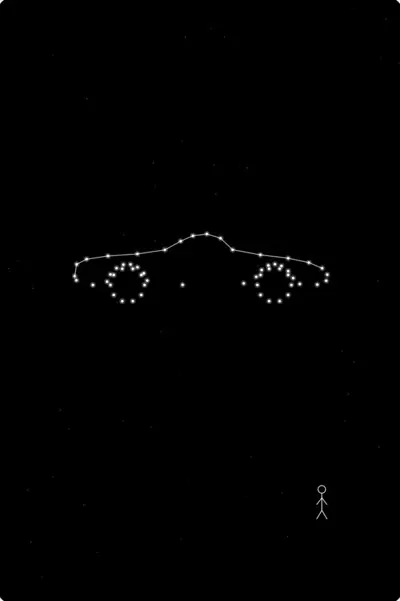
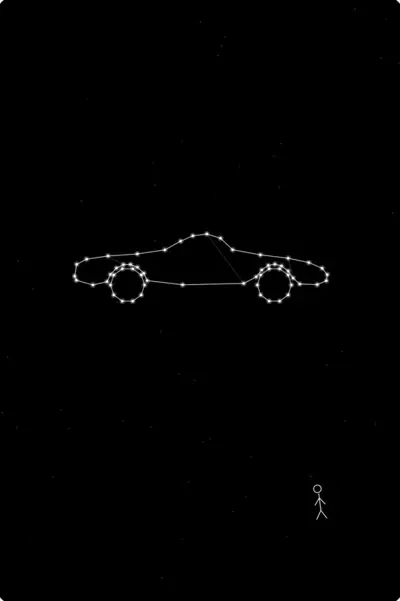
Dots gather into a quiet, elegant outline.
StartMiddleEnd
Best for Big ideas, "it all comes together" moments, calm openers.
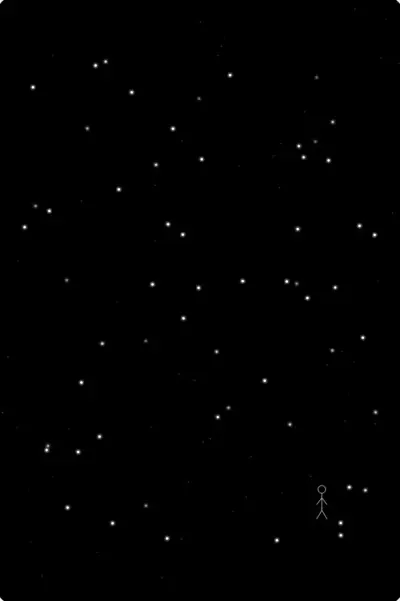
Prompt for Minimal Line
Create a 3-second looping animation as one self-contained HTML file, sized 1080 x 1920 (vertical) and scaled to fit the screen. Draw everything with code (SVG, CSS or canvas), with no image files. Start playing automatically.

Subject: a red rocket-powered roadster.

STYLE: Pure black background, tiny white dots and thin white lines only. Very minimal, with lots of empty space. SCENE: About 100 small white dots scattered at random across the whole frame. A tiny white stick figure stands in the lower right. ACTION: 0.0s to 1.5s, the dots drift slowly inward, each on its own path, and settle along the side outline of a sports car in the middle of the frame. 1.5s to 2.2s, thin lines fade in between neighbouring dots until the outline is clear, including two round wheels. 2.2s to 3.0s, hold still with a very slight twinkle on the dots.
Pro tip More dots makes a cleaner shape. Ask for 150 if the outline looks broken.
08 / 10Medium
CGI Motion
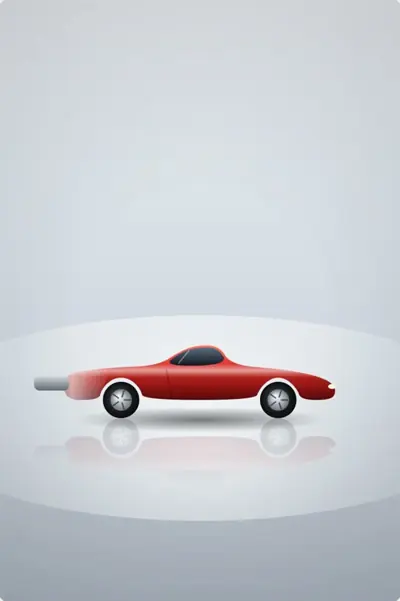
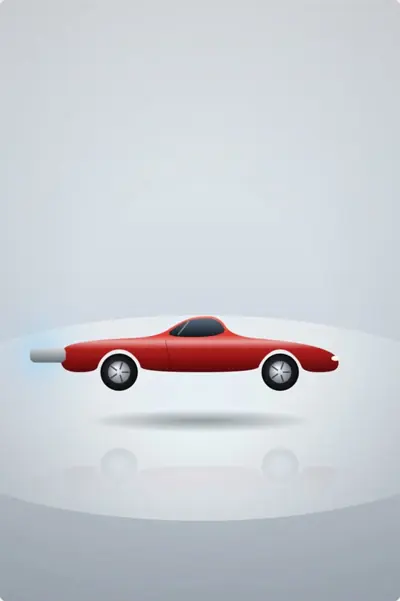
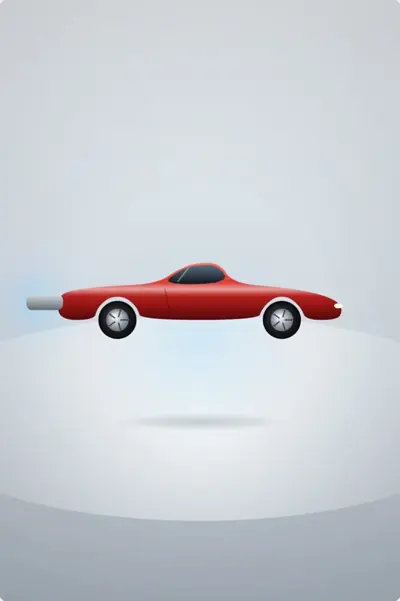
A glossy studio product reveal with reflection.
StartMiddleEnd
Best for Product reveals and launches, luxury looks.
Prompt for CGI Motion
Create a 3-second looping animation as one self-contained HTML file, sized 1080 x 1920 (vertical) and scaled to fit the screen. Draw everything with code (SVG, CSS or canvas), with no image files. Start playing automatically.

Subject: a red rocket-powered roadster.

STYLE: Clean 3D product render look, built with gradients and soft blur. Glossy paint with long highlights. SCENE: A seamless light-grey studio with a soft pool of light on the floor. A glossy red sports car in side view on the floor, in the lower third of the frame, with a clear mirror reflection beneath it. A silver rocket nozzle at the back. ACTION: 0.0s, the nozzle starts to glow pale blue. 0.8s, the car rises smoothly and slowly, with soft easing, about 250 pixels. As it rises, the reflection fades out and moves down, and a soft blurred shadow appears on the floor, getting lighter and wider. A gentle highlight slides along the paint. Hold at the top with a slight hover.
Pro tip Say "slow and weightless" if it moves too fast. Calm movement is what makes it look expensive.
09 / 10Medium
Toy Brick
Plastic bricks assemble a playful car.
StartMiddleEnd
Best for "Building" stories, step-by-step growth, fun and family brands.
Prompt for Toy Brick
Create a 3-second looping animation as one self-contained HTML file, sized 1080 x 1920 (vertical) and scaled to fit the screen. Draw everything with code (SVG, CSS or canvas), with no image files. Start playing automatically.

Subject: a red rocket-powered roadster.

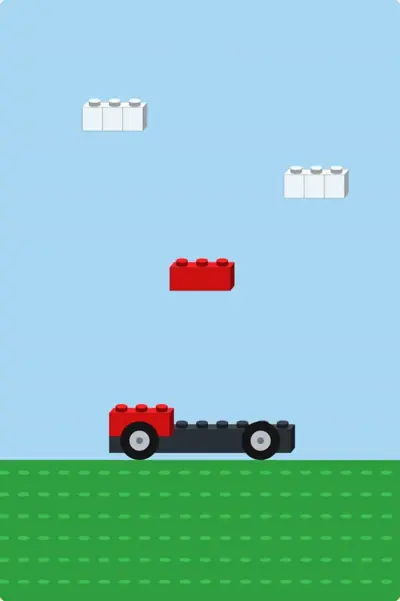
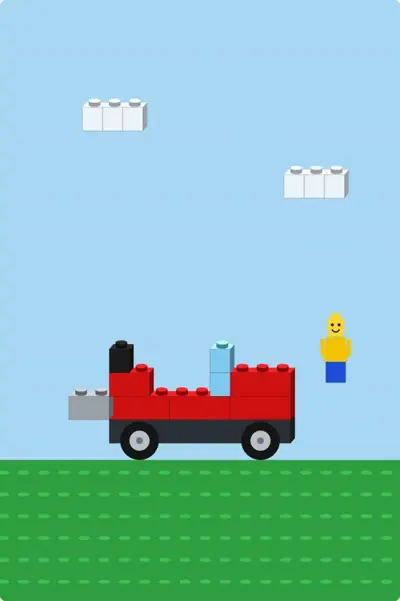
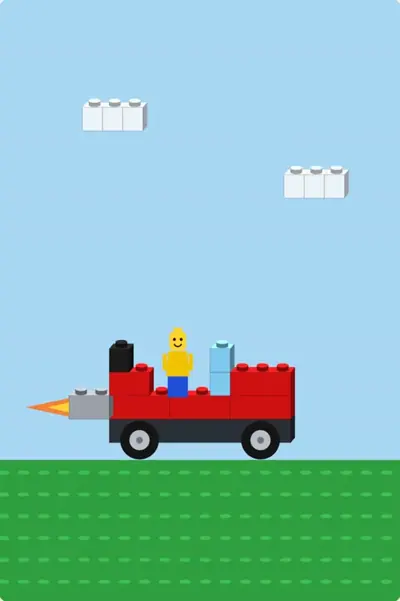
STYLE: Stop-motion with generic plastic toy building bricks. Every piece has round studs and a soft plastic shine. Move in steps at 10 frames per second, with a small bounce each time a brick lands. SCENE: Light blue sky with clouds made of white bricks. The ground is a green studded building plate. ACTION: 0.0s, a dark base with two wheels sits on the ground and a red brick falls onto it. 0.3s to 1.2s, more red bricks fall and stack to build the body. 1.2s, a clear blue windscreen brick and a grey rocket brick snap on. 1.8s, a small yellow toy figure drops in from above and lands in the seat. 2.4s, an orange flame fires from the rocket. Hold to the end.
Pro tip Keep the brick pieces generic. Do not ask for a real brand's characters or logos if you will post this.
10 / 10Advanced
Realistic CGI
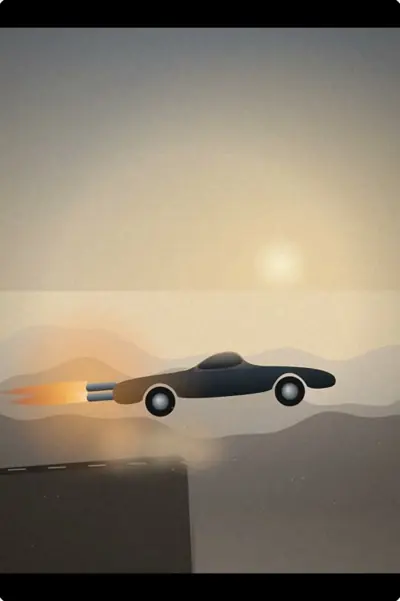
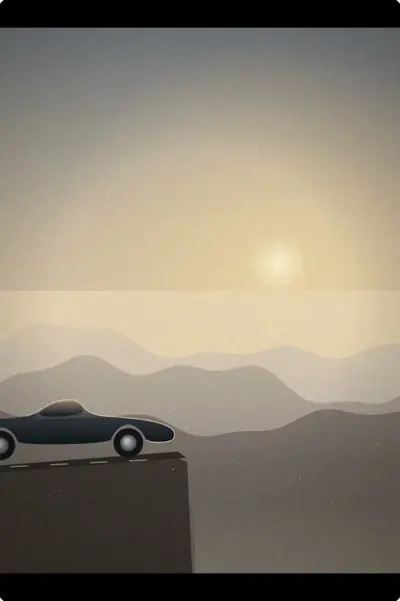
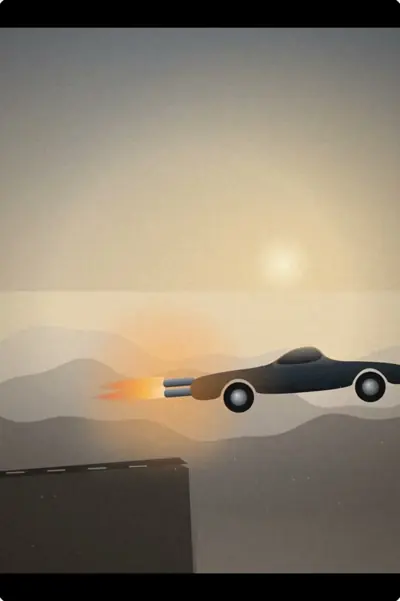
A hazy, slow-motion cinematic cliff launch.
StartMiddleEnd
Best for Cinematic hooks, trailers, dramatic openers.
Prompt for Realistic CGI
Create a 3-second looping animation as one self-contained HTML file, sized 1080 x 1920 (vertical) and scaled to fit the screen. Draw everything with code (SVG, CSS or canvas), with no image files. Start playing automatically.

Subject: a red rocket-powered roadster.

STYLE: Cinematic film shot. Hazy golden sunset, soft atmospheric light, film grain, with black letterbox bars at the top and bottom. Build it with layered gradients, blur and animated noise. SCENE: A low sun glowing through thick haze. Layers of mountains fading into fog. A dark rocky cliff edge in the lower left. A sleek, near-black sports car with soft rim light on its edges. ACTION: Slow motion for the full 3 seconds. 0.0s, the car drives off the edge of the cliff from the left. 0.5s, an orange rocket flame ignites with a warm glow. The flame kicks up a large, soft dust cloud that keeps expanding behind the car. The car glides to the right, rising very slightly. The dust and haze keep drifting to the end.
Pro tip This is a realistic look built with code, not real footage. It reads best at phone size.
MAKE IT YOURS
Change the subject. Keep the motion.
After a style works, replace the car and take-off moment. A software company might reveal a new feature with Flat Vector; a consultant might bring scattered problems into one plan with Minimal Line.
Follow-up prompt
Keep this exact style, timing and mood. Replace the car with [YOUR SUBJECT]. Replace the moment of take-off with [YOUR KEY MOMENT]. Change all on-screen text to [YOUR WORDS]. Use these colours if they fit: [YOUR HEX CODES].
01 / TEMPLATE
Invent your own style
Decide on a subject, the texture and colour, the starting scene, and timed actions. Specific beats make the sequence easier to follow.
Master template
Create a [LENGTH]-second looping animation as one self-contained HTML file, sized 1080 x 1920 (vertical) and scaled to fit the screen. Draw everything with code (SVG, CSS or canvas), with no image files. Start playing automatically.

Subject: [WHAT IS IN THE SHOT].

STYLE: [THE LOOK, IN 2 SENTENCES: TEXTURE, COLOURS, LINE QUALITY].
SCENE: [BACKGROUND AND EVERYTHING VISIBLE AT THE START].
ACTION: 0.0s, [WHAT HAPPENS FIRST]. 1.0s, [WHAT HAPPENS NEXT]. 2.0s, [THE BIG MOMENT]. Hold to the end.
02 / MORE LOOKS
12 more starting points
Try one of these in the STYLE line of the template. The full PDF gives a description of each.
Paper CutClaymationBlueprintWhiteboardWatercolorNeon NoirIsometricRetro TerminalNewspaper PrintStained GlassRisograph PosterSticker Pop
03 / POWER-UPS
Give it more life
Add one line at a time so you can see the result.
Add a slight camera shake on the biggest moment.
Add a white flash on the frame where the scene changes.
Add subtle film grain over the whole frame.
Make the main subject squash and stretch as it lands.
Add a slow push-in, so the shot is never still.
Add parallax: the background moves slower than the foreground.
Freeze for 0.2 seconds on the biggest moment, then continue.
Add small speed lines behind anything that moves fast.
Make the ending hold for one extra second so people can read it.
Add one line of big bold text that appears on the final beat.
Use only these three colours: [HEX], [HEX], [HEX].
Ease everything with a springy overshoot, so it feels alive.
PUT IT INTO A REEL
Turn clips into a sequence.
Save a few clips, name the files in order, and use Claude Code with HyperFrames to assemble a vertical reel. Keep text away from the top and bottom edges where platform UI can cover it.
Montage prompt
Combine my clips into one vertical video, 1080 x 1920. Play them in this order: [CLIP 1], [CLIP 2], [CLIP 3]. Show each one for 3 seconds. Between clips, use a fast 0.2-second transition. On each clip, show the style name in big bold text near the middle of the frame for the first second. End on a 2-second card that says "[YOUR CALL TO ACTION]".
Copy the “To get this, use this” reel format
Film yourself saying “To get this” and “Use this” while pointing to each side. Put your footage and numbered motion clips in one folder, then paste this into Claude Code.
Reel edit prompt
Use HyperFrames to edit my talking-head video into a vertical reel. Keep my face fully visible.
Every time I say "To get this", slide the next motion clip in on the side I am pointing to, and let it play until the next "To get this".
Every time I say "Use this", show that clip's name on a card on the other side, using the file name as the name.
Use the clips in file-name order. Move my video down if you need room above my head. Do not add running captions.
At the end, when I give my call to action, show the keyword on a big card.
Before you post
Check the first and last frames, especially if the loop jumps.
If movement is too fast, ask Claude to slow it and soften the easing.
If the subject is cut off, ask it to keep the entire 1080 × 1920 frame visible.
Preview at phone size and add sound after the animation works.
KEEP THE FULL GUIDE
All ten prompts, examples and fixes in one PDF.
Includes the extra style descriptions, prompt formula, power-up lines and troubleshooting reference.